Skip to content
← All release notes

v0.2

Oct 19 – Nov 3, 2026

  1. v0.2.12

    An updated link to the Hexby community

  2. 11 more patches
  3. v0.2.0

Introducing Hexby

Hexby turns your existing codebase into a visual canvas for designing with the AI coding agents you already use. Explore your app’s pages and components, make changes directly on your real UI, and review the results before opening a pull request.

New

  • Start with your app. Open a local project or connect a repository.

  • Find what you want to change. Browse Pages, All Components, and Component Map, with previews to help you locate the right page or component.
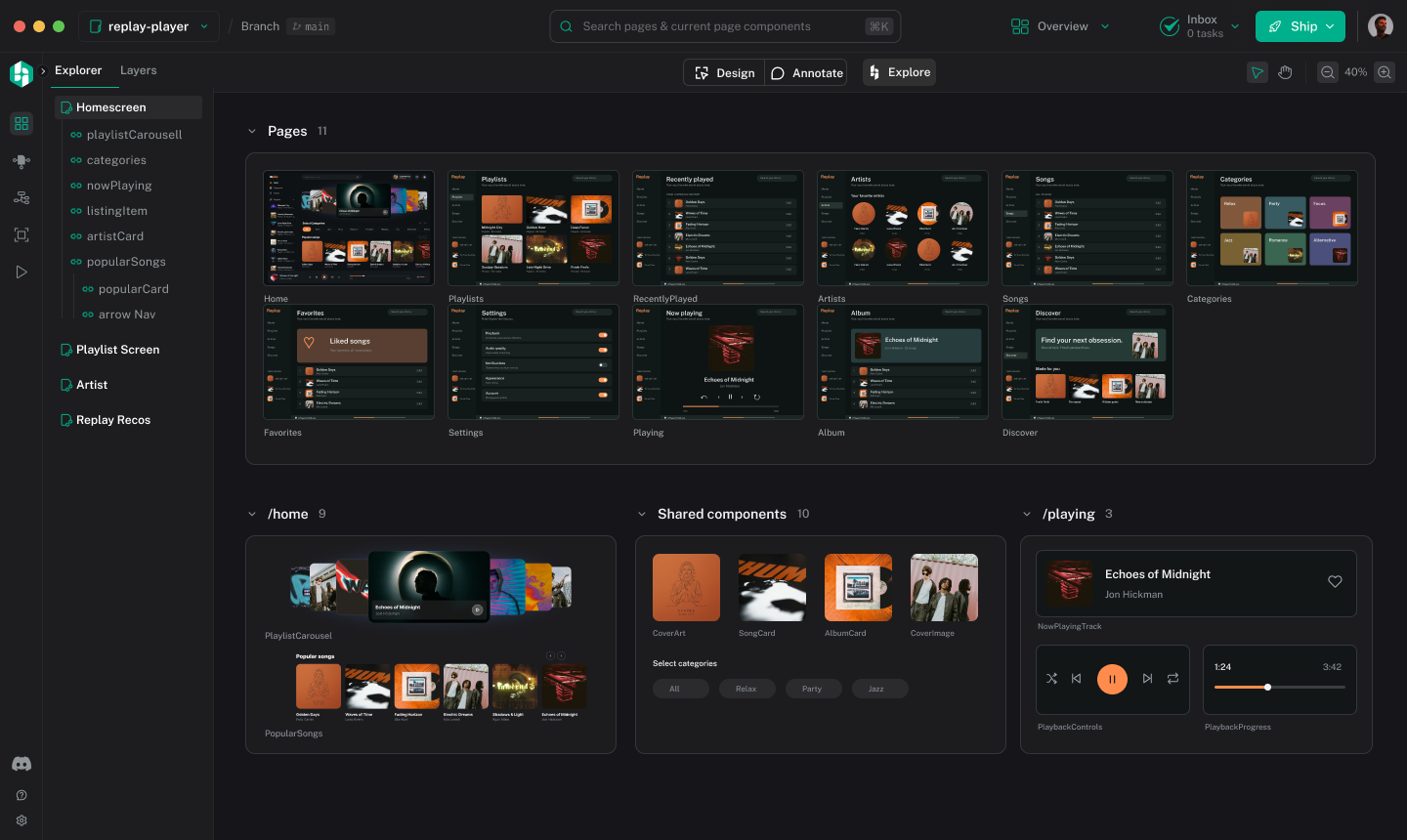
    Hexby’s All Components view showing app components on a visual canvas.
  • Give your assistant context. Connect your AI coding assistant and pass it the selected page or component.

  • Point to specific changes. Annotate elements directly in the preview to show your assistant what you mean.

  • Explore design directions. Use Explore with Hexby to compare ideas before implementing them.
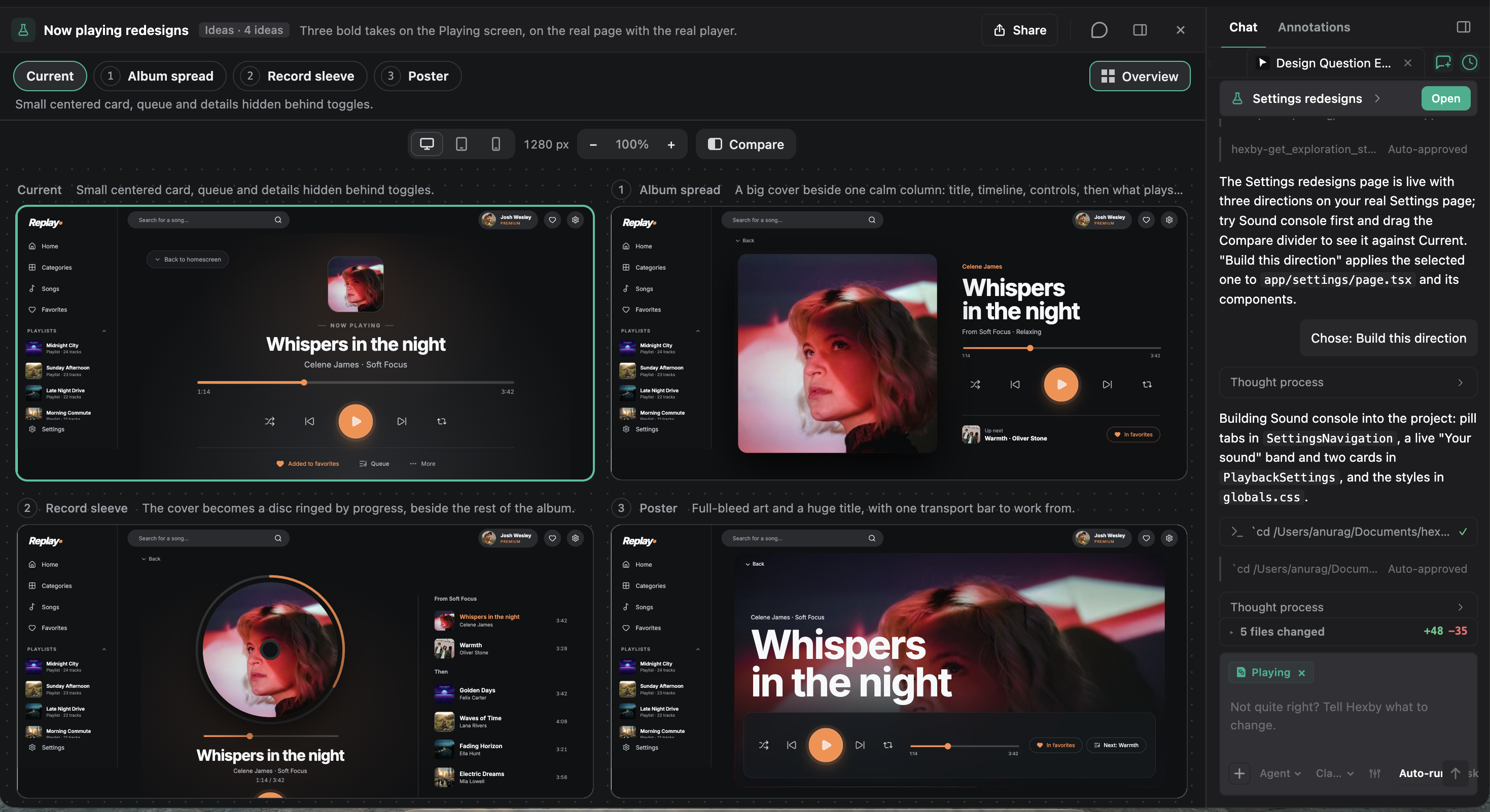
    Hexby Explore showing the current Now Playing screen alongside three proposed design directions.
  • Try your changes. Use Preview App to test them in your running app.

  • Review and hand off. Compare before-and-after previews, gather teammate feedback, and open a pull request.

Patch updates

  1. v0.2.12

    Nov 3, 2026

    Improved

    • Updated the Discord invite in the app sidebar so you can join the Hexby community.
  2. v0.2.8 – v0.2.11

    Oct 27 – 31, 2026

    Bug fixes and stability improvements.

  3. v0.2.7

    Oct 24, 2026

    Fixed

    • Project setup now explains when Node.js needs to be reinstalled and provides recovery steps, instead of repeatedly asking you to install project packages.
  4. v0.2.5 – v0.2.6

    Oct 21 – 23, 2026

    Bug fixes and stability improvements.

  5. v0.2.4

    Oct 20, 2026

    Fixed

    • Fixed macOS updates failing when Hexby runs from Downloads or the installer. Hexby now offers to move to Applications so updates can install.
  6. v0.2.2 – v0.2.3

    Oct 19, 2026

    Bug fixes and stability improvements.

  7. v0.2.1

    Oct 19, 2026

    Improved

    • Updated the onboarding demo videos.

    Fixed

    • Team work now appears in Overview even when you have not connected GitHub.
    • Fixed importing repositories with long file paths on Windows.
    • Improved installation of projects with Git-hosted dependencies.
    • Prevented automatic component repairs from starting while you are working in Preview App.