Skip to content
← All release notes

Latest release

v0.3

Nov 10 – 13, 2026

  1. v0.3.3

    Design mode in explorations and worktree switching

  2. 2 more patches
  3. v0.3.0

Edit visually, review changes, and share explorations

Edit your UI visually with Design mode, review every change on a shared board, and send explorations to teammates as links. Hexby now also supports Vue, Nuxt and Angular projects.

New

  • Edit your UI visually with Design mode. Press D to change layout, spacing, sizing, colors, and text on the canvas or in Preview App. Select elements in Layers, adjust them in Properties, and save your changes to code. Learn more

  • Review changes with your team on a board. Your AI assistant summarizes the changes and marks them on before and after screens for each page. Add notes and comments, compare screens side by side, or click through changes in Prototype. Learn more

  • Share explorations with your teammates. Explore an idea with Hexby, then send your team a link for feedback. Teammates can open it on desktop or mobile and comment on specific elements. Send their feedback straight to your AI assistant. Learn more
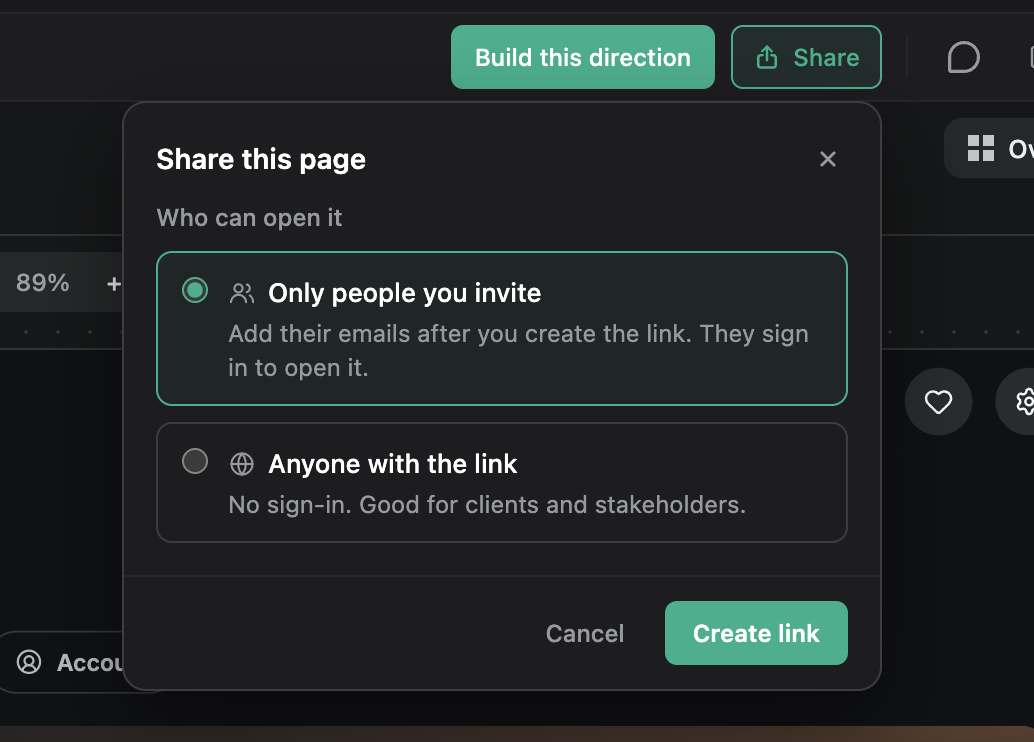
    Share an exploration with invited people or anyone with the link.
  • Use Hexby with more frameworks. Added support for Angular 17+, Vue 2, Vue 3, and Nuxt.

  • Google Antigravity Agent support.

Improved

  • Added grouping options in All Components View to better organize your canvas.
  • Clearer, actionable messages when a repository or request fails and what to do next.
  • Search your chat with Cmd/Ctrl+F.
  • Attach additional context to chat, plan and explore using text files, markdown documents and PDFs.

Patch updates

  1. v0.3.3

    Nov 13, 2026

    Improved

    • Use Design mode to edit explorations in Explore with Hexby.
    • Switch to other git worktrees for the same project using the Branch menu.

    Fixed

    • Fixed merged reviews opening as an empty board.
    • Fixed Preview App reporting a false code error in Nuxt projects.
  2. v0.3.2

    Nov 12, 2026

    Improved

    • Edit and add theme variables in Design mode.
    • Improved gradient controls.
    • @ mention another chat to share its context with your AI assistant.
  3. v0.3.1

    Nov 11, 2026

    Improved

    • Clearer message when Hexby can't reach its server while you sign in, so you know to check your internet connection or VPN and try again.