

Hexby
UI Design Workspace
Design directly on your existing application.
Explore your application's rendered pages and components, refine UI designs with your existing AI agents, and review visual changes before shipping.
Different tools. Different approaches to UI design.
See how Hexby, Cursor, Claude Design, Figma, Paper and pen.dev approach designing, iterating and shipping real application UIs.
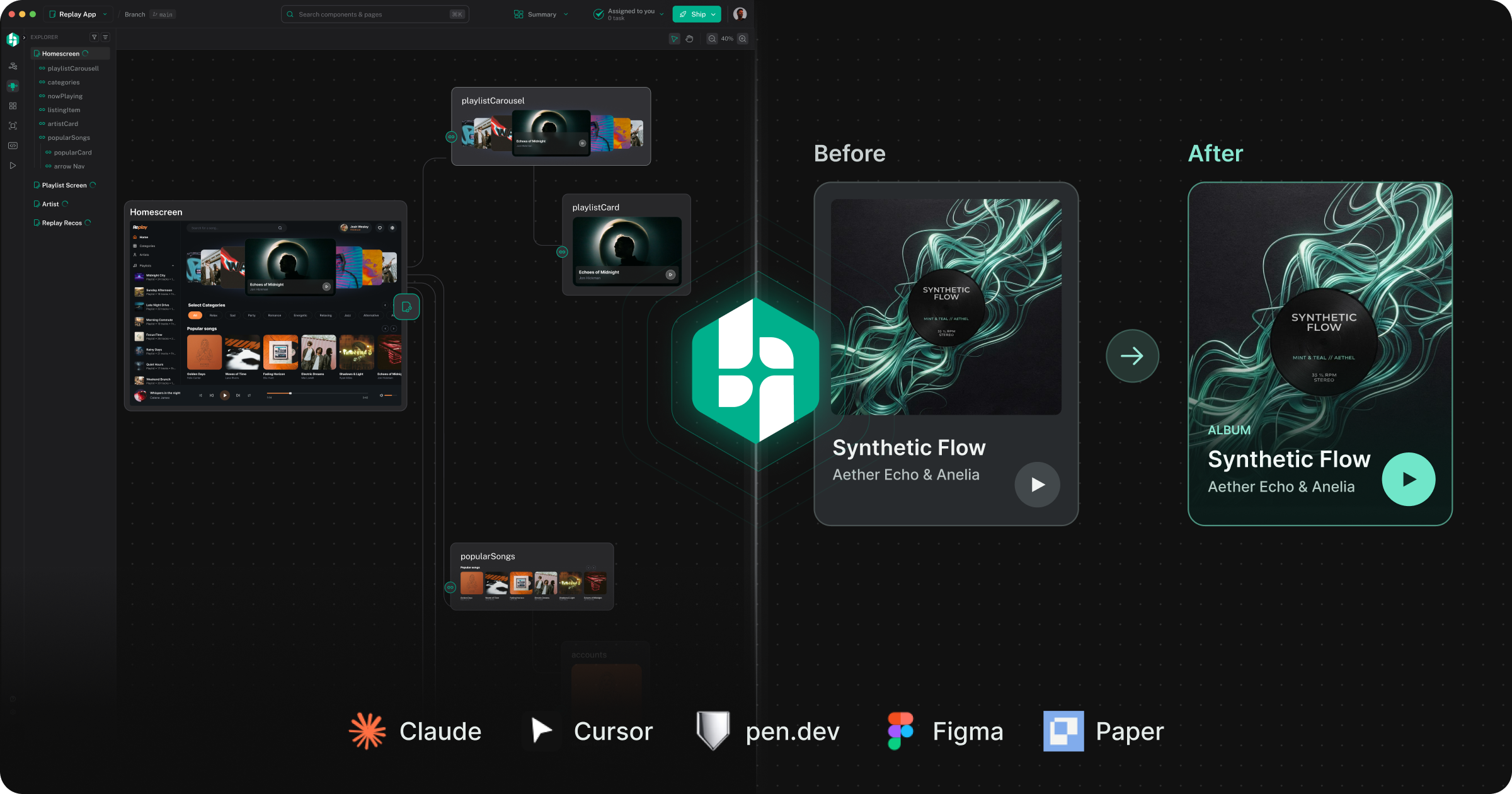
Where Hexby is different
AI has changed how software gets built. Coding agents can now generate entire applications, making functional interfaces directly in code. But getting a working UI is only the beginning. Good design requires exploration, experimentation, visual refinement and feedback. The tools available today approach this challenge very differently. Some start with code and AI agents. Others start with visual design canvases or conversational AI.
Hexby takes a different approach: turning your existing application into a visual design workspace. Here's how Hexby compares with Cursor, Claude Design, Figma, Paper and pen.dev, and where each approach fits.
UI Design Workspace
Design directly on your existing application.
Explore your application's rendered pages and components, refine UI designs with your existing AI agents, and review visual changes before shipping.

AI Design Tool
Create and refine designs with AI.
Generate interactive designs through conversation, edit them visually, and connect design work to Claude Code.

AI Design Editor
Design alongside your codebase with AI agents.
Create and refine editable .pen designs, import existing interfaces, and move between design files and code using AI agents.

Collaborative Design Platform
Create, prototype, and collaborate on product designs.
Build interfaces and design systems, prototype interactions, and collaborate around shared design work, including code-connected workflows.

Web Design Tool
Design web interfaces with HTML and CSS.
Create editable web-native designs, refine their visual details, and connect design work to AI agents and code.

AI Code Editor
Build and improve applications with AI coding agents.
Develop, debug, and modify application code, including targeted UI edits through browser-based tooling.
Built around the design process
Design isn't just about generating UI. It's about exploring ideas, refining the details, and reviewing how everything comes together in your actual product.
01 · DESIGN ON YOUR REAL UI
Hexby turns your existing codebase into a visual canvas, bringing your actual screens, components, and interactions together in one place. Your existing AI agents work around the UI, not the other way around.
Instead of navigating source files to understand the UI, you can inspect rendered interfaces, explore component relationships and identify areas to improve. This helps designers, product managers and developers understand and work on coded UIs visually.
mainSearch components & pagesSearch⌘K Summary Assigned to youShip 
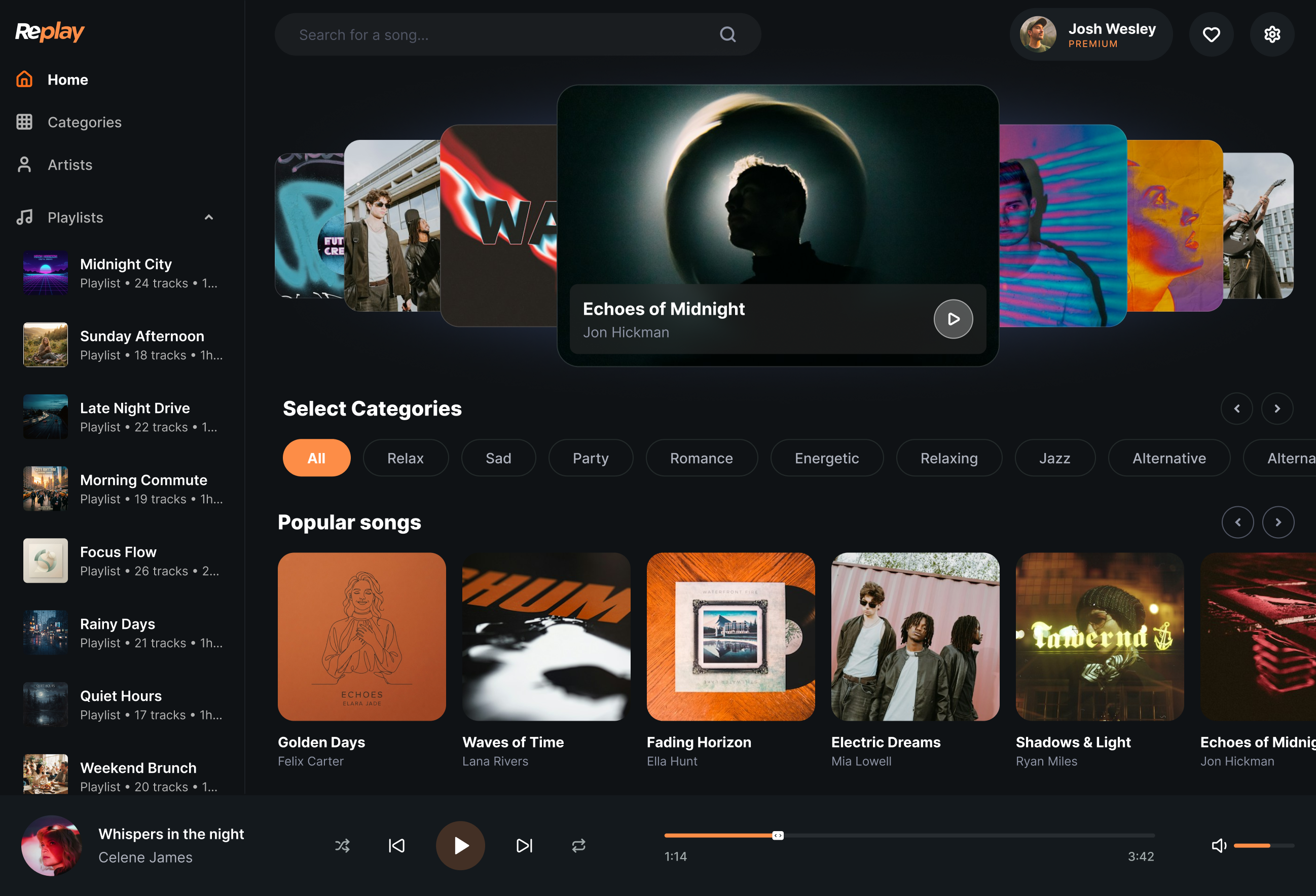







 Golden Days
 Waves of Time
 Fading Horizon
 Electric Dreams
 Shadows & Light
 Echoes of Midnight
Cursor, Lovable & AI Agents
Find components in source files and inspect their appearance in a running application.
Source filesRunning app
Figma, pen.dev, Paper & Claude
Create, generate, or import interfaces to explore designs in a separate editing workspace.
Create / ImportEditable designs
Hexby
Browse real pages, inspect reusable components, and see how they fit together across your application.
Existing codebaseExplorable UI
02 · Explore ideas before you build them
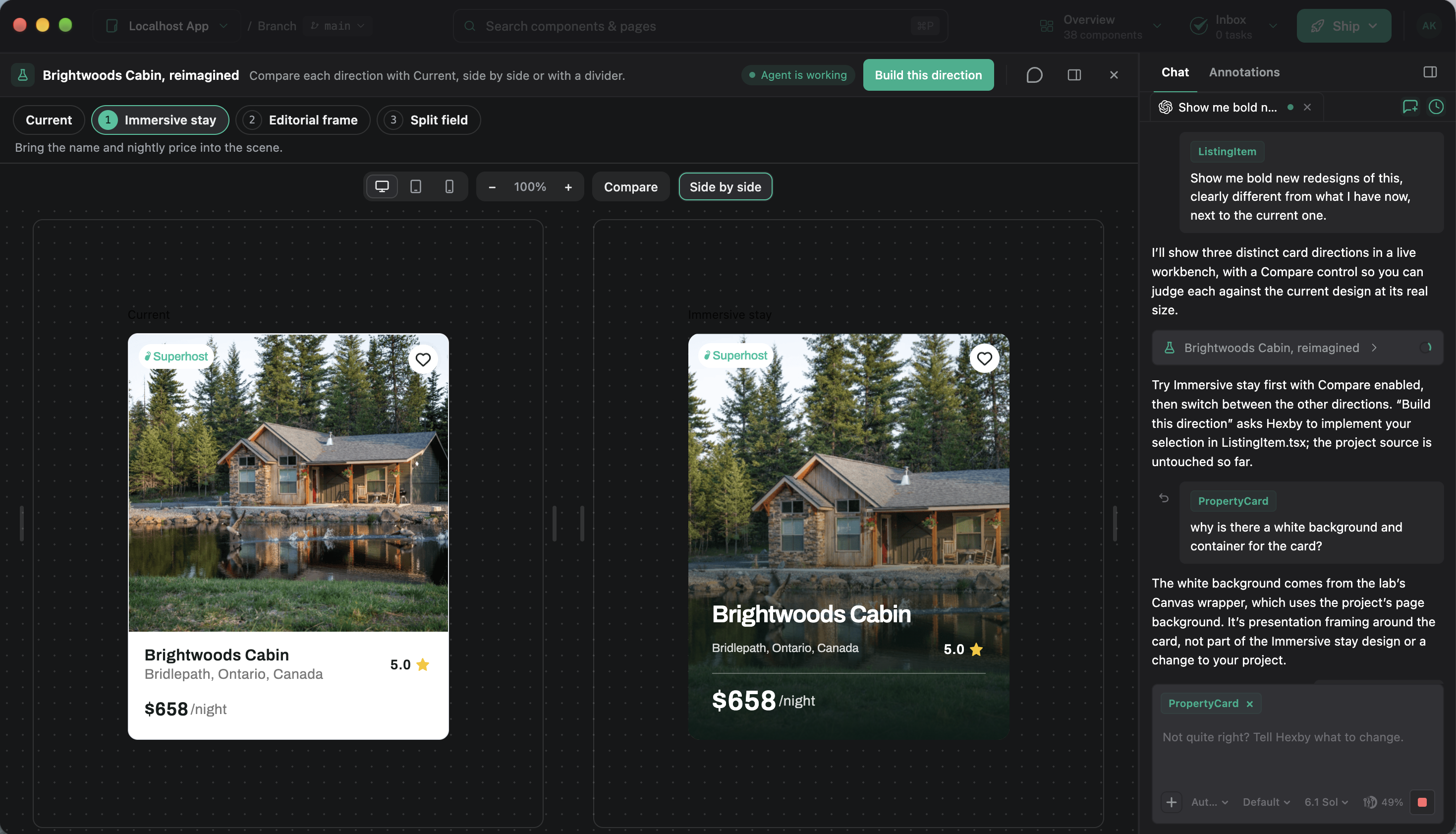
Good UI design takes more than a single prompt. You need to explore different directions, compare ideas, and refine the details before changing code.
Edit CSS and move elements with Figma-like controls, leave feedback directly on the UI, or prompt your existing AI coding agents to make changes.
Try new layouts, build new flows, match a design reference, or explore UI states using your existing components.
Adjust visual properties directly on the canvas.
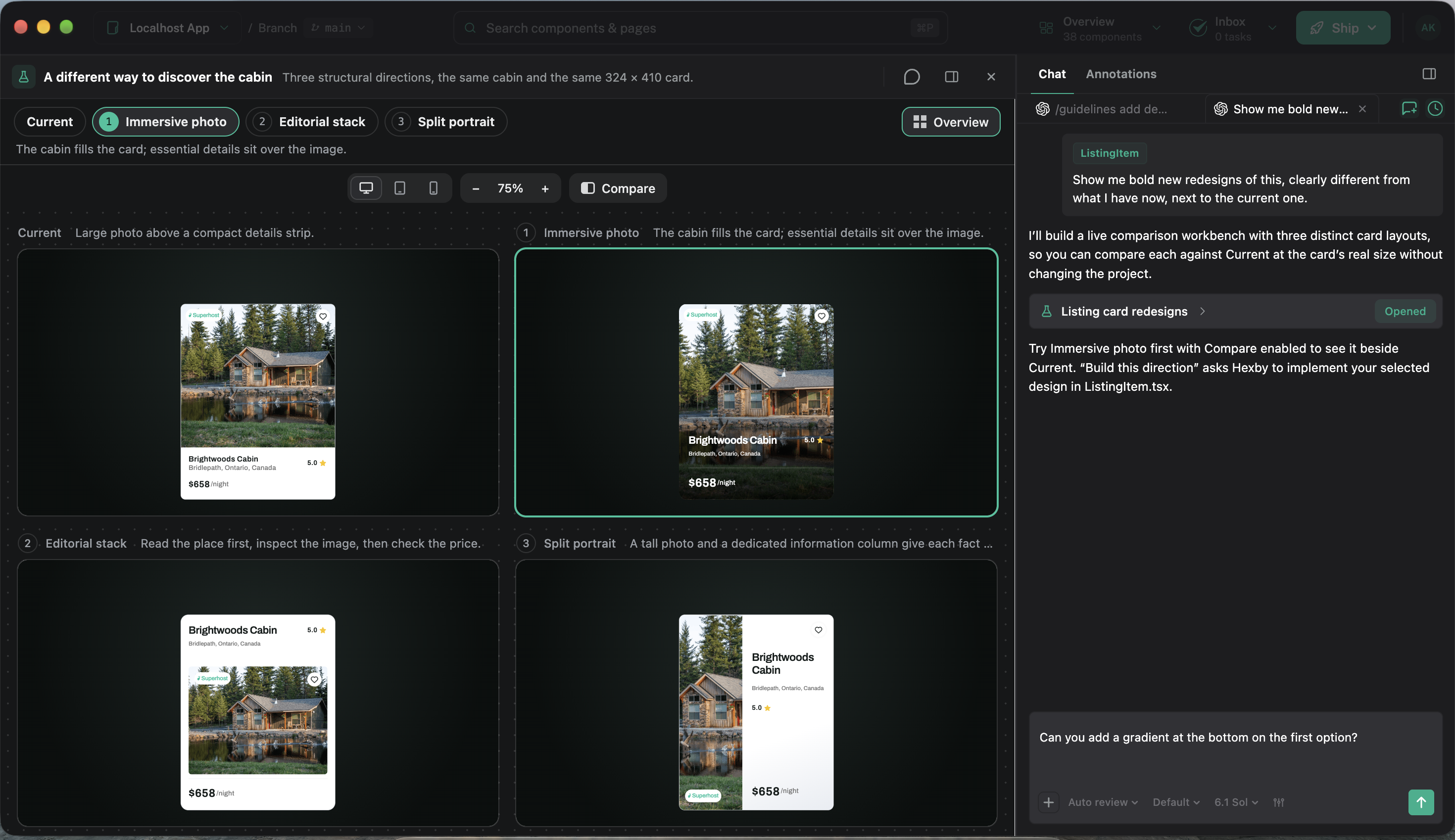
Adjust layout, typography, and color on your real UI.
01 / 09Cursor, Lovable & AI Agents
AI coding agents typically update code based on your instructions. Exploring multiple UI directions can mean implementing each alternative before you can compare the results.
PromptCode changesPreview
Figma, pen.dev, Paper & Claude
Create and compare UI design alternatives in dedicated design workspaces, often separate from your application's running UI.
Editable designExploreRefine
Hexby
Generate and compare design alternatives using your application's existing UI, then guide your AI coding agents to implement the direction you choose.
Real UIExploreChooseImplement
03 · Review design changes before you ship
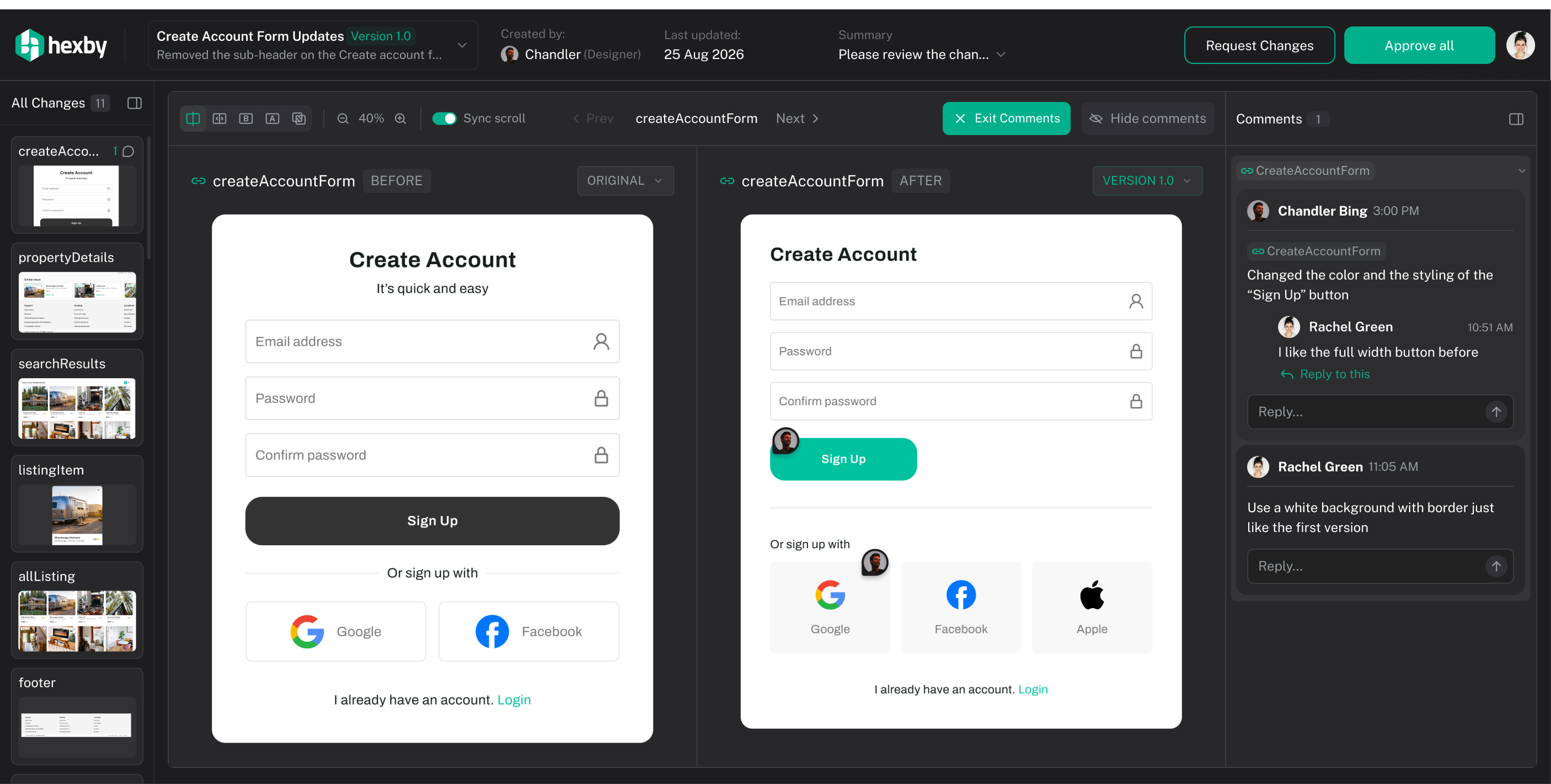
A code diff tells you which files changed, but not necessarily how those changes affect the UI. A new layout might look good on one screen while breaking a shared component somewhere else.
Hexby brings your AI agent's UI changes into a visual review board. Send the board to teammates so they can leave feedback on specific elements, request changes, or approve the update in their browser. Iterate on feedback, share updated versions, and create a pull request when the design is ready to ship.
Make stay details easier to compare and recent dashboard activity easier to scan.
1 screen · 1 component · 4 notesBefore
 ★ Superhost
Mississauga, Ontario, Canada
After
★ SuperhostMississauga, Ontario, Canada
Before
After
Cursor, Lovable & AI Agents
Inspect code diffs, run the application, and check the affected screens to understand how UI changes look.
Code changesPreviewReview
Figma, pen.dev, Paper & Claude
Compare design iterations and collaborate on feedback within design workspaces, with varying approaches to code integration.
Design changesFeedbackHandoff
Hexby
Compare the rendered UI before and after your agents make changes, inspect affected components, and collect design feedback before shipping.
Code changesVisual reviewApproval
Where each tool fits into UI design and development.
| Feature | Hexby | Cursor | Claude | Figma | pen.dev | Paper |
|---|---|---|---|---|---|---|
| Design on your actual app UI | ✓ | ✓ | × | LimitedFigma lets you work with code-backed UI elements, but doesn't provide a complete visual workspace to browse and edit your existing application's pages and components. | × | × |
| Browse your app's rendered components | ✓ | × | × | × | × | × |
| See component reuse across your app | ✓ | × | × | × | × | × |
| Explore designs before changing code | ✓ | × | ✓ | ✓ | ✓ | ✓ |
| Bring your existing AI agents | ✓ | ✓ | × | ✓ | ✓ | ✓ |
| Compare before/after UI from your app's code | ✓ | × | × | × | × | × |
| Approve implemented UI changes before shipping | ✓ | × | × | × | × | × |
How it works
See what’s actually shipping. Change it visually.
Let your agents do the work.
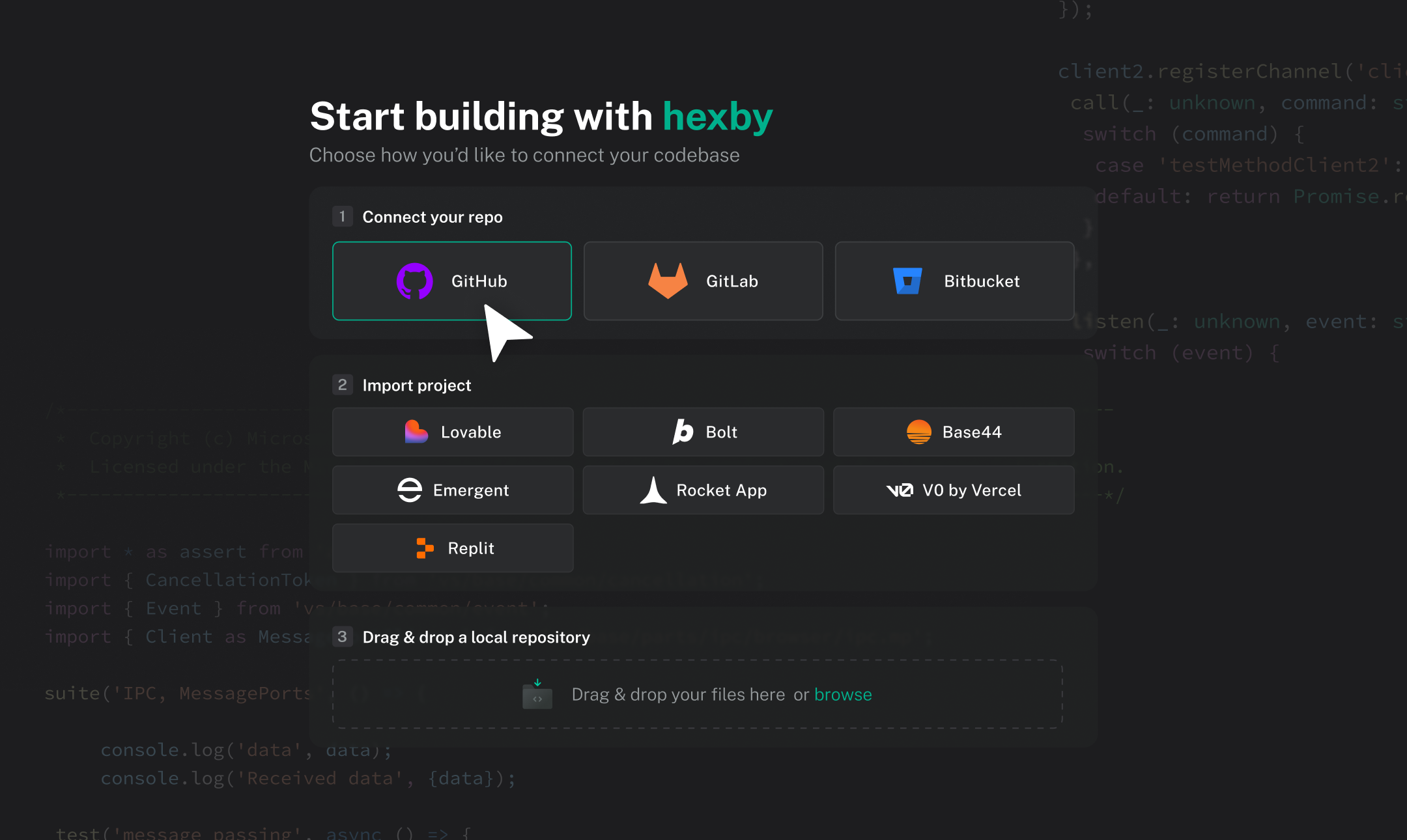
The codebase Hexby opened — the source of every screen on the canvas.
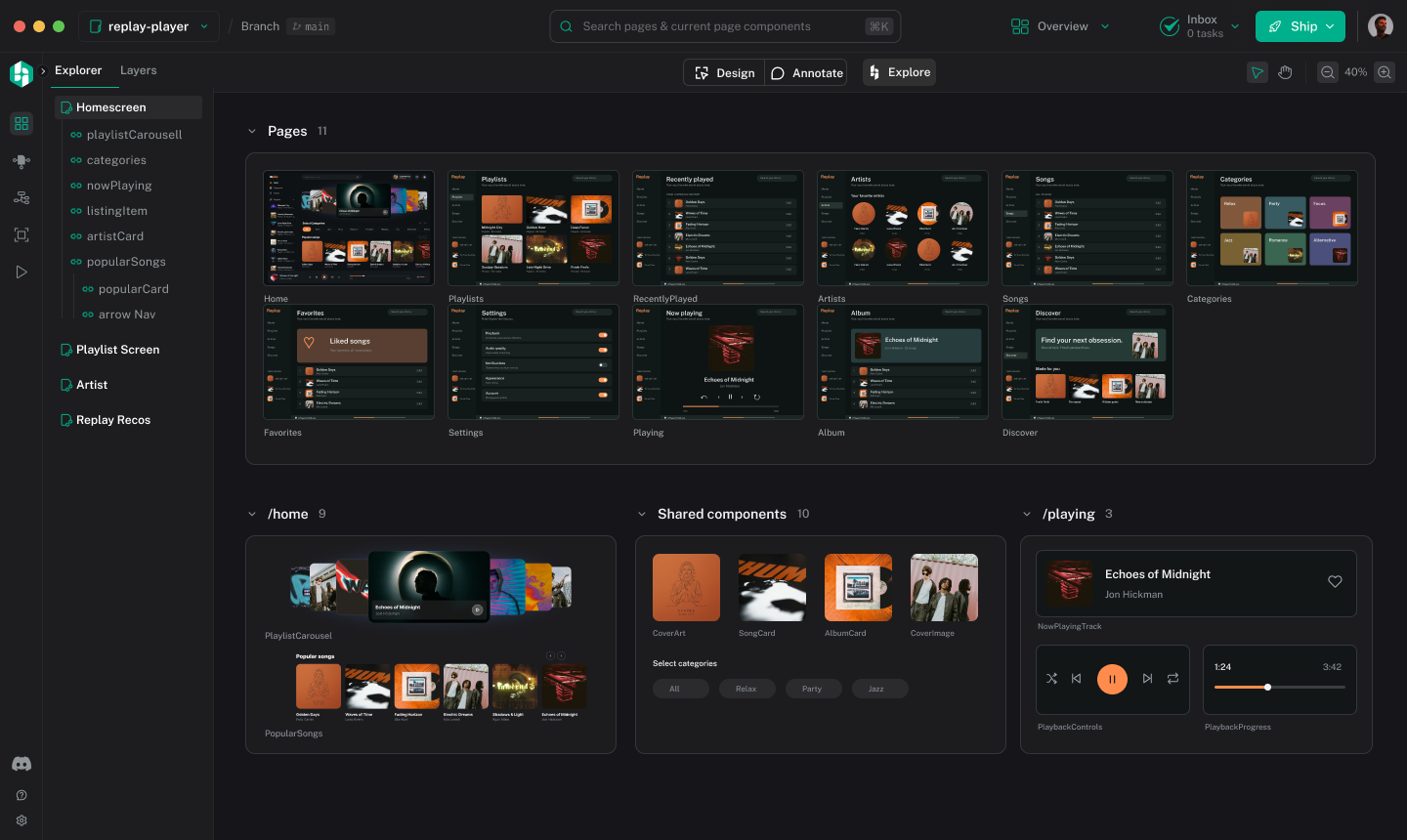
The same UI, laid out as a canvas of the screens the code actually renders.
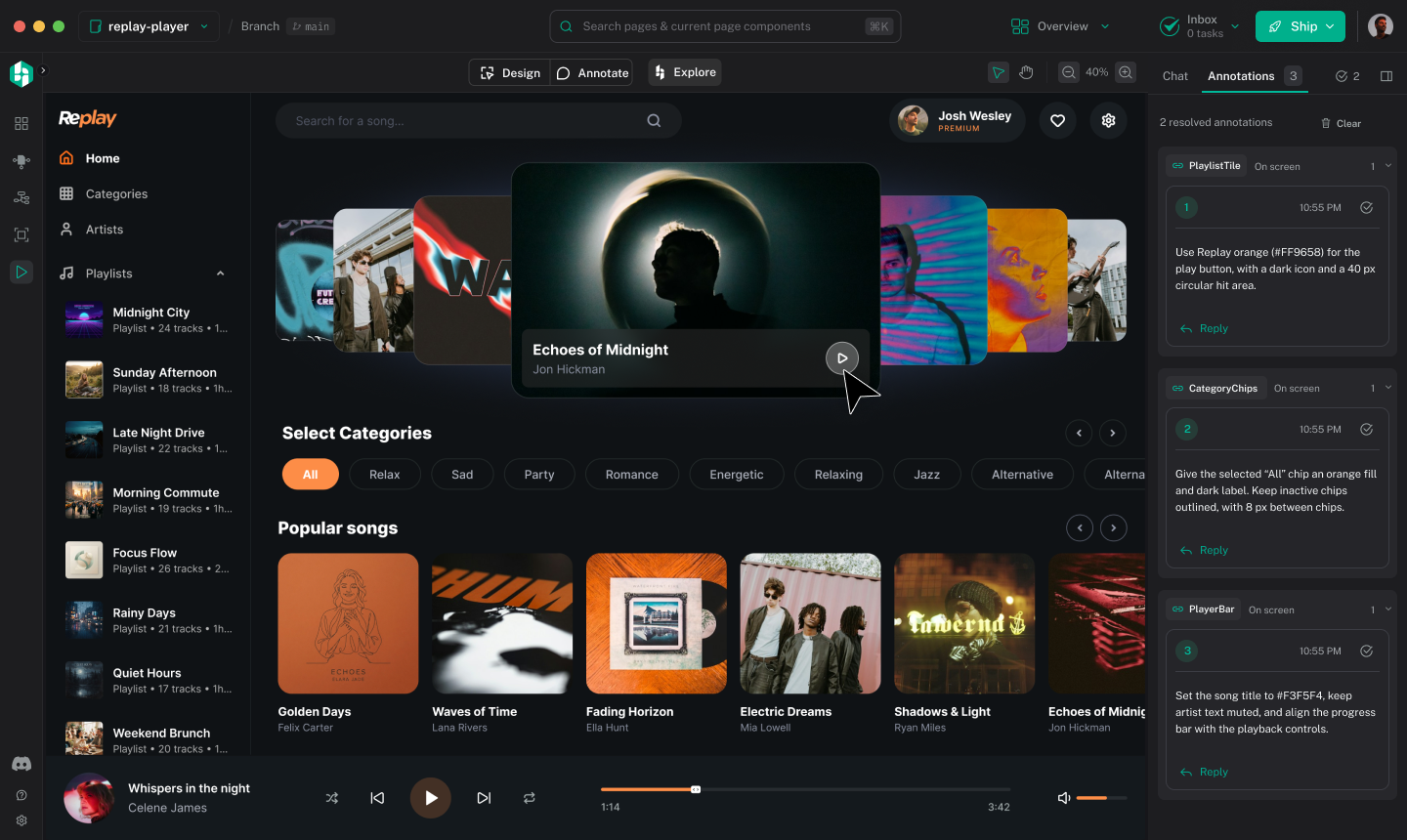
Your existing agent does the AI work, pointed at the thing you selected.
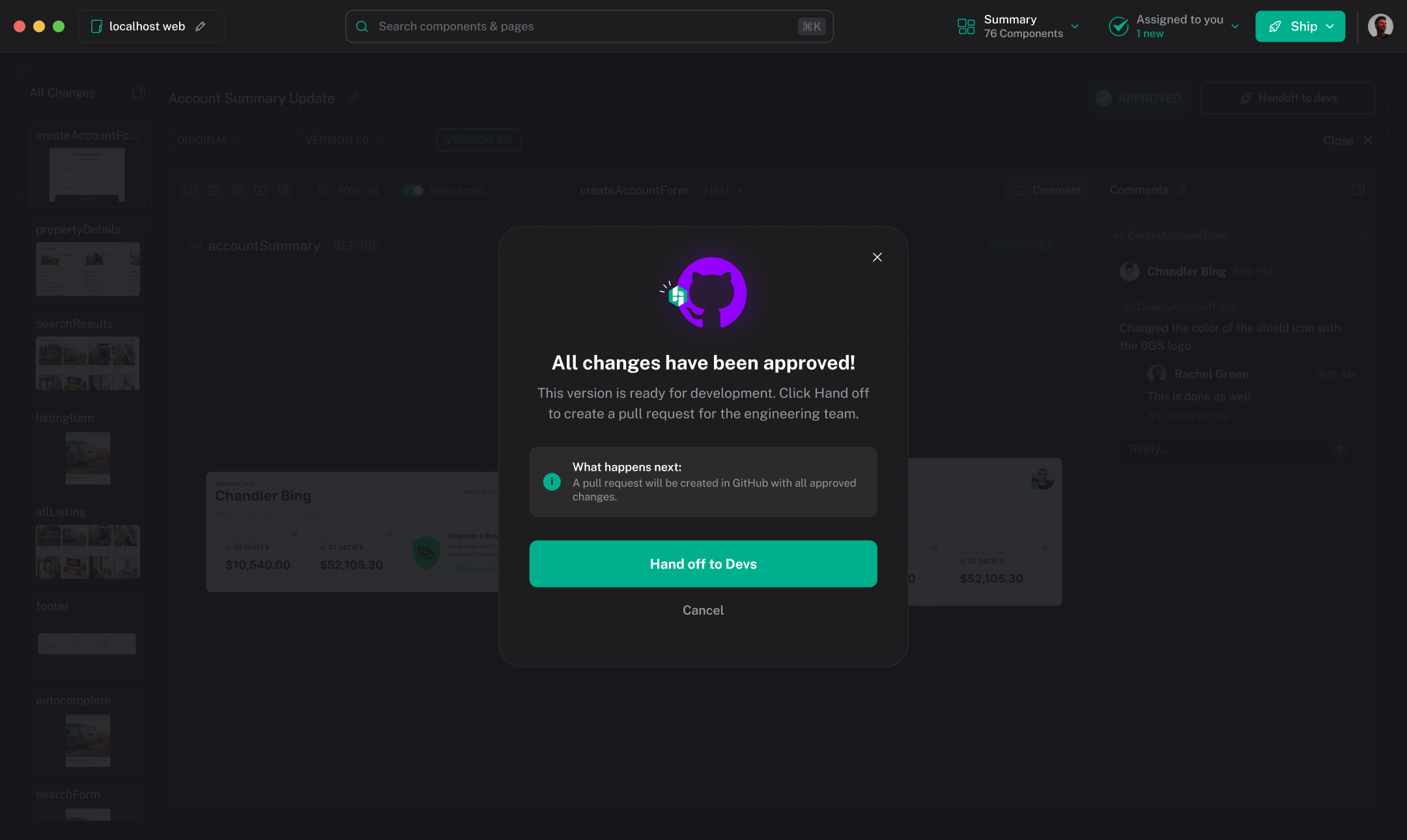
Submit for review. Nothing reaches the repository until somebody means it to.
Frequently Asked Questions
Explore how Hexby fits into your existing product and development workflow.
Hexby is a visual design workspace for teams whose product UIs live in code. It turns an existing frontend codebase into a visual canvas where you can explore screens and components, try design alternatives, and refine interfaces using your existing AI coding agents. Unlike a traditional design-first workflow, Hexby lets you work with the UI that already exists in your codebase, without having to recreate it in a separate design file. You can watch a demo of the Hexby workspace here.
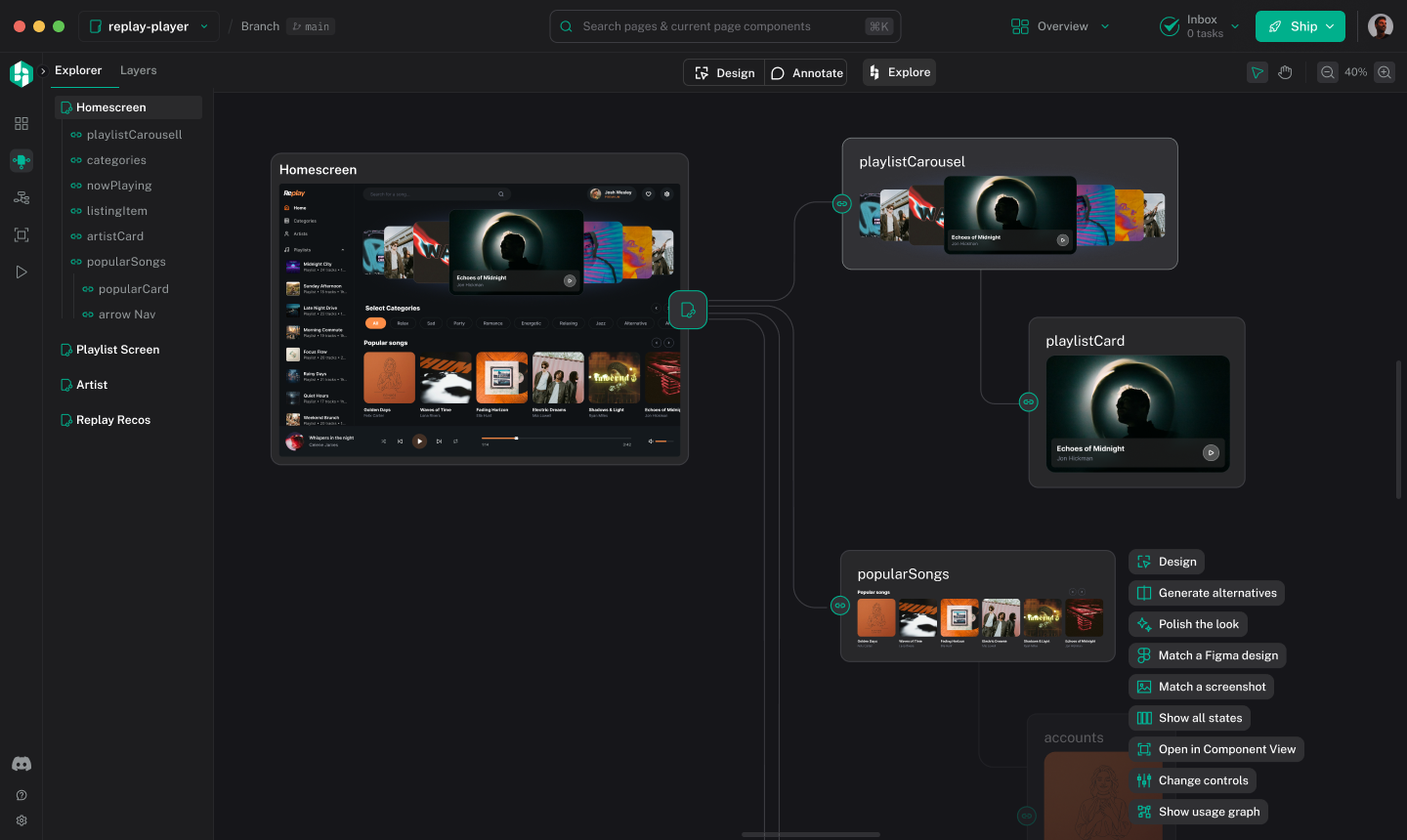
Hexby turns your existing frontend codebase into a visual workspace for exploring your application's pages and components. Instead of navigating source files to understand the UI, you can inspect rendered interfaces, explore component relationships and identify areas to improve. This helps designers, product managers and developers understand and work on coded UIs visually. You can explore the Hexby workspace in the product tour here.
Hexby brings a visual design workflow to products built directly in code by AI coding agents. Connect your project, explore the UI on a visual canvas, experiment with layouts and components, and use your existing coding agent to implement changes. You can move between visual exploration and code implementation without first recreating your application in a separate design tool. You can explore different design directions here.
Hexby helps you refine AI-generated applications after the initial build. Bring your project into a visual workspace, explore alternative layouts, improve components and polish the interface using your existing AI coding agent. Instead of rebuilding the application from scratch, you can iterate on the UI of the product you have already created. You can learn how to open your existing project here.
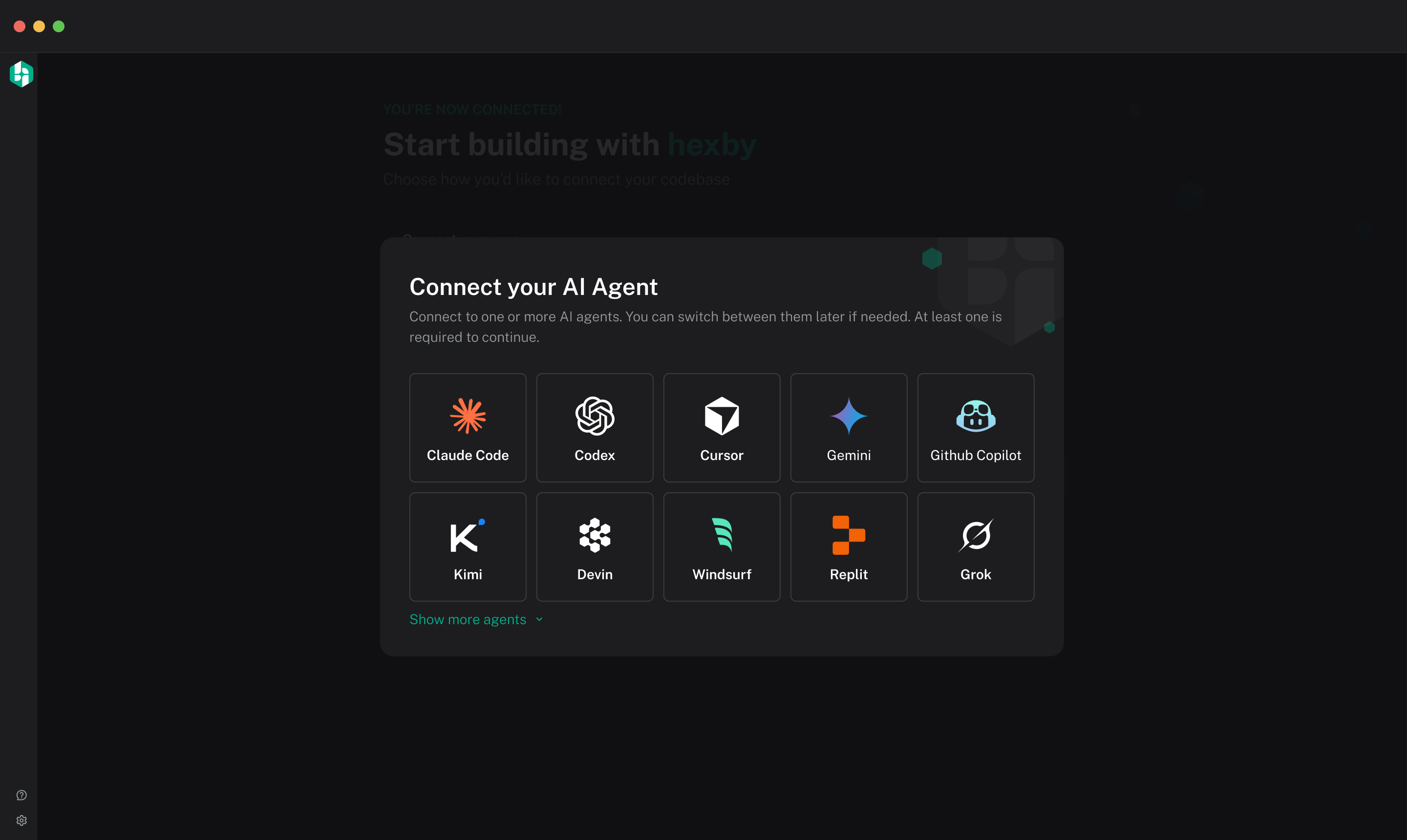
Yes. Hexby brings visual UI exploration and iteration into your existing AI coding workflow. Work with your application's screens and components, identify the changes you want to make, and use your connected coding agent to implement them in code. You can continue using your existing agent and its subscription rather than switching to a separate AI coding agent provided by Hexby. You can find the AI assistant integration guide here.
Hexby lets you explore alternative UI directions using your existing application as the starting point. Experiment with layouts, screens and components, review visual changes against the current interface, and refine your preferred direction with your AI coding agent. This helps teams evaluate design options before deciding which changes to implement in their codebase. You can learn how to explore and compare design ideas here.
Hexby gives designers and product managers a visual workspace for understanding and refining an existing application's UI. They can explore screens and components, communicate desired changes and work with an AI coding agent to implement improvements. Teams can review visual changes together and hand approved work back to developers through their existing development workflow. You can learn about visual review and developer handoff here.
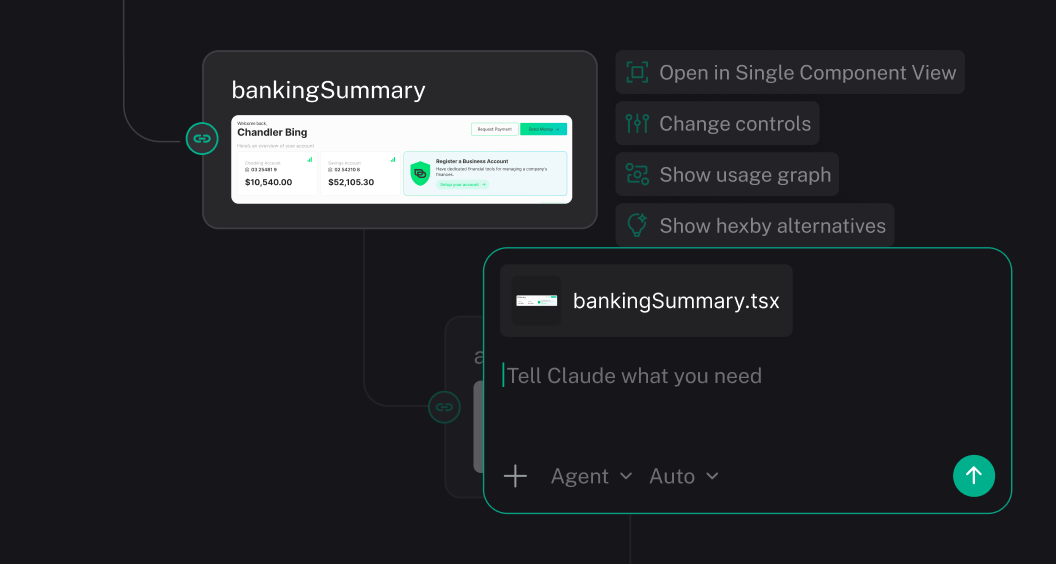
Yes. Hexby creates a visual workspace from your existing frontend project so you can explore the UI that has already been implemented. You can inspect pages and components, understand how the interface is structured, and iterate on the existing product using your AI coding agent. Your codebase remains the source of truth, rather than requiring you to manually recreate each screen in a separate design file. You can find project requirements and setup instructions here.
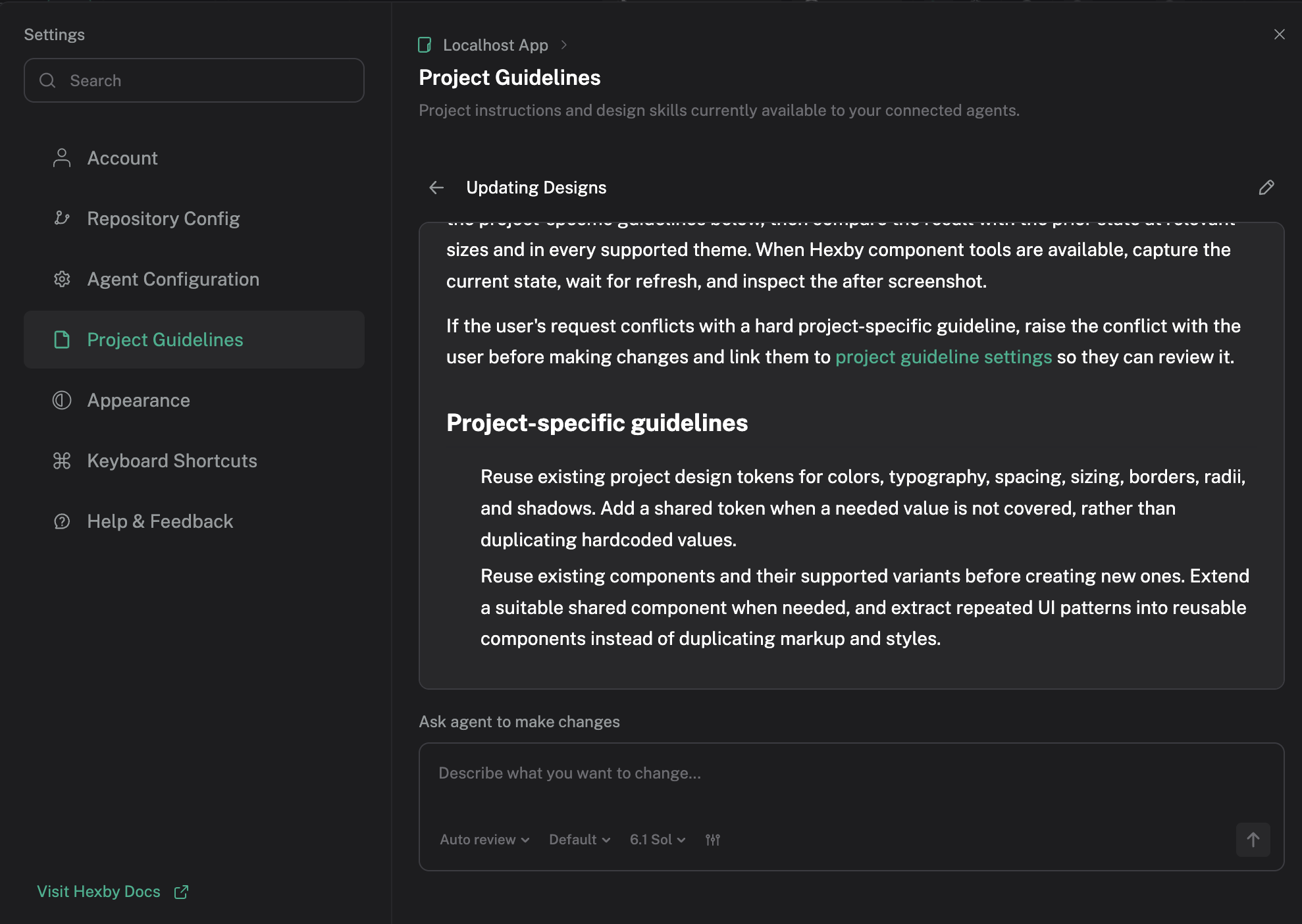
Hexby helps you explore the pages and components that make up your application, making it easier to understand how shared UI elements fit into the product. You can identify areas for refinement, explore changes to reusable components and work with your AI coding agent to implement improvements across the interface. This supports more consistent UI iteration within your existing codebase. You can learn how to give your AI agent design guidelines for consistent UI changes here.
Hexby gives teams a visual workspace for reviewing UI changes before they become part of the main product. You can compare the updated interface with the existing version, inspect proposed changes and collaborate with teammates on the result. When changes are ready, they can be handed back through your supported repository workflow for developer review and merging. You can learn how to review UI changes and hand them off for merging here.
Get started
Bring your real UI into Hexby. Explore new directions, refine components with your coding agents, and review changes with your team before shipping.
