
Project Guidelines
Project Guidelines
Give connected assistants project-specific rules they can follow.
Project Guidelines are rules a connected assistant should follow whenever it works in your project. Add rules you do not want to repeat in every chat.
Useful guidelines cover:
- Existing components, spacing, color, and type
- Responsive and accessibility expectations
- Loading, empty, and error states
- Naming, files, and testing
Guidelines guide assisted work. They do not replace the project code, design system, or your review.
Where guidelines come from
Hexby can surface project instructions from files such as AGENTS.md and
CLAUDE.md, plus installed design skills. The files available depend on the
project and connected assistant.
View or edit a guideline
- Open Settings.
- Choose Project Guidelines.
- Select a document to read it or open its source.
- If you have permission, edit the Markdown and save it.
Editing a guideline changes a real project instruction file. Review the saved file like any other source change.
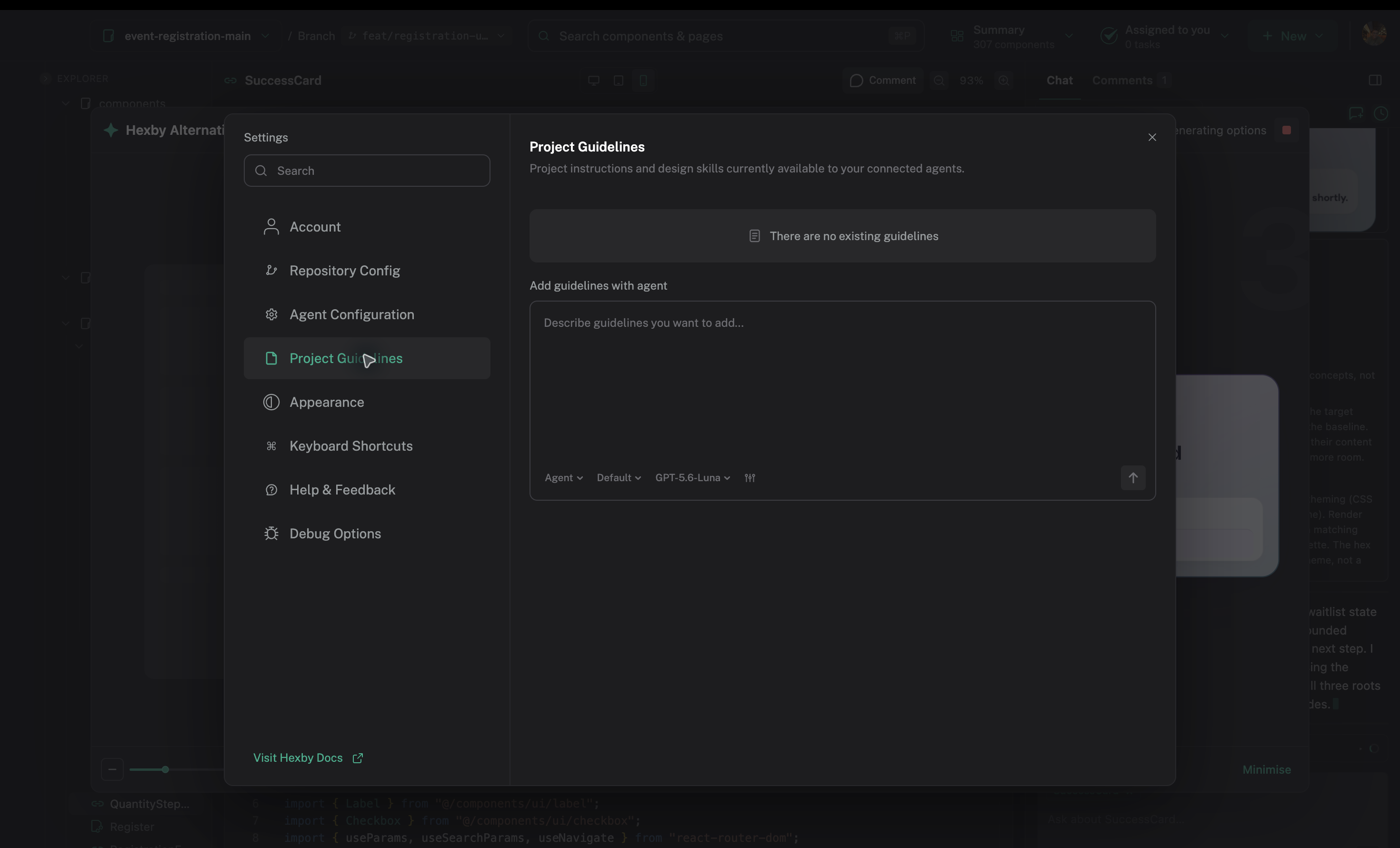
Open Settings → Project Guidelines to review or add durable project rules.
Update guidelines in chat
Ask the connected assistant to update them with /guidelines. For example:
Add a rule that every new form control has a visible label and a clear keyboard focus state.
Review the proposed diff before keeping it.
Write useful rules
Be specific enough to guide a decision:
Use the existing
Buttonvariants. Use the destructive variant only for actions that cannot be undone, and preserve the visible focus ring.
Remove rules that no longer match the project. Link to the existing component or token when a rule depends on one.
When guidelines apply
Guidelines apply after the assistant reads them. They do not automatically change existing components or fix a blocked preview. After saving one, mention the desired outcome in your next chat request and review the result.
Next step
Use AI Assistant to apply project guidance in a focused request.